3. Task manager - Assigning tasks to users
Imported from Confluence (source, last edited 2015-11-23). Screenshots are the old UI — flag for GIF/clip re-capture.
Content of this section
Opening the Task manager will display the workflow tasks already created, which will be automatically cleared when completed. Also, Jira issues (if any) are listed.
Assignments will be automatically submitted to each user.
Selecting a worklist will display list components on the right. A filter allows filtering by text string (complete or partial words), users and states. Concepts may be reassigned in batch to other users, with the same status or a different one if the actions on the workflow (transitions) are changed.
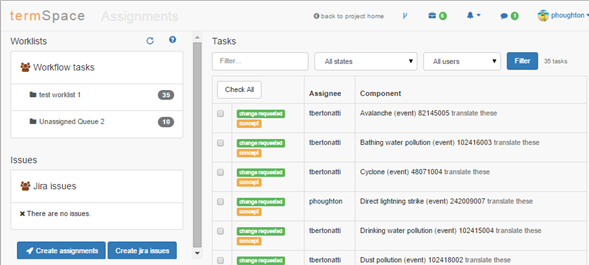
3.1 Creating new assignments
Step-by-step guide
- Click Create assignments to open the assignment window.
- Open Assign from drop-down to specify the assignment source.
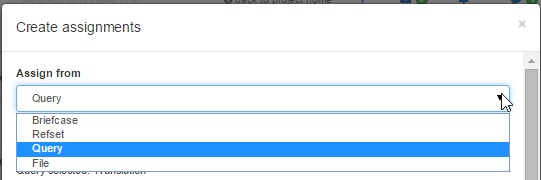
3. Open Worklist drop-down to select an existing Worklist or specify a new worklist name.

4. Open Assign to drop-down to select a user.

5. Select Split for a splitting option (especially used for large tasks).

6. Select the activity to be conducted.
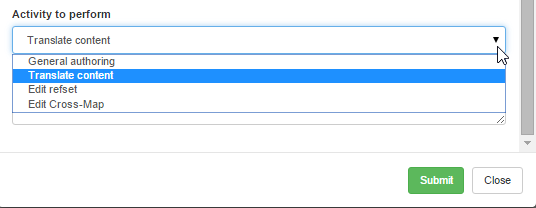
7. Click Submit to display the assignment in the Tasks panel.