Creating ordered refsets
Imported from Confluence (source, last edited 2015-05-13). Screenshots are the old UI — flag for GIF/clip re-capture.
-
Open the Asset Library and click Create a New Authored Refset
-
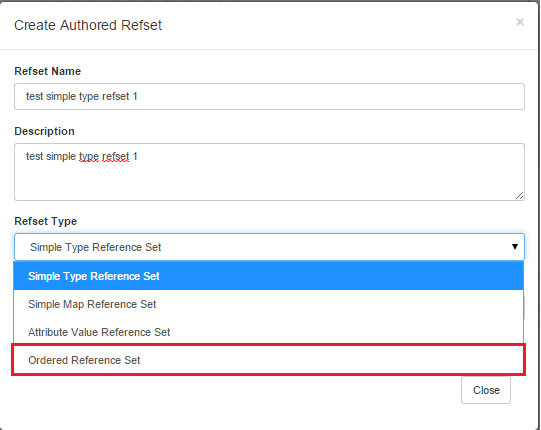
Enter a refset name and a refset description**
 **
-
On the Refset type drop-down, select Ordered Reference Set
-
On the publication specification, select Not published
-
Click Create to list refset name in the Assets panel
-
Select the new ordered refset and click Open Asset
-
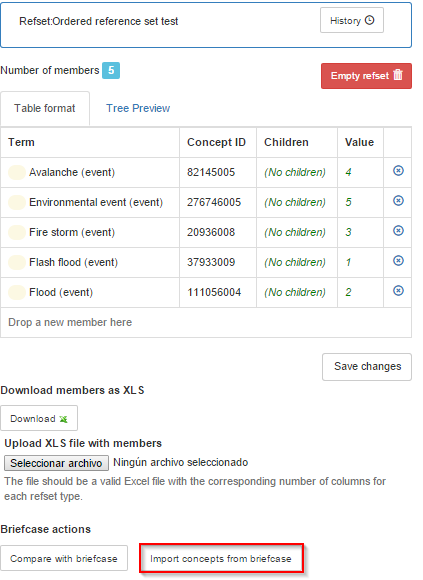
In the Refset Editor panel, click Import concepts from briefcase to create a list of concepts (still with no supertype-sybtype relationships) and/or
-
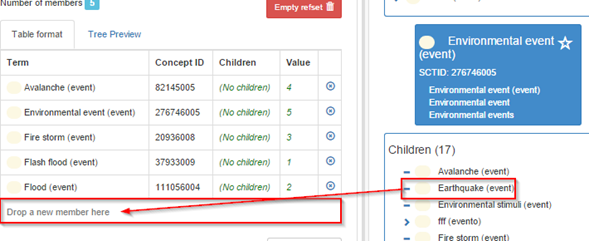
Drag a concept from the Concept Summary tab on the right to the Refset Editor
-
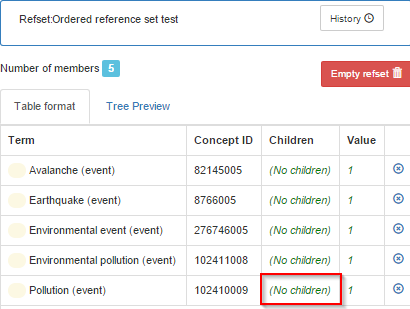
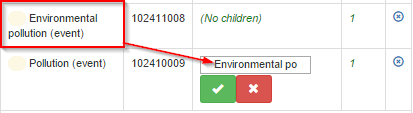
In the Refset Editor, click No children to open refset edition
-
Drag a concept that will be a child of the selected concept and drop it in **Children
 **
-
Select the Green checkmark to accept the change
-
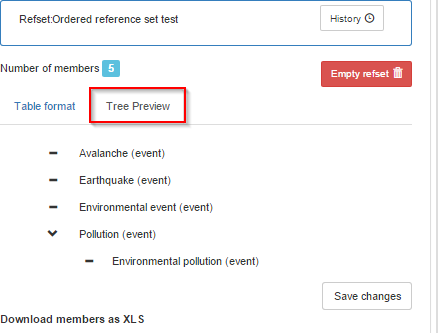
Open Tree Preview to see the refset ordered in a taxonomy
-
Visualization order may be changed: In the Refset Editor, click on Value number to specify the order to be shown in the tree view.

-
Select the Green checkmark to accept the new value
-
Open Tree Preview to see the taxonomy
