Adapting concepts of the International Edition to local use
Imported from Confluence (source, last edited 2023-01-11). Screenshots are the old UI — flag for GIF/clip re-capture.
There are cases where a concept has a description with preferred acceptability in one language refset and another description that is acceptable. However, this acceptability may not be suitable for other users. Therefore, it may be changed.
Step-by-step guide
-
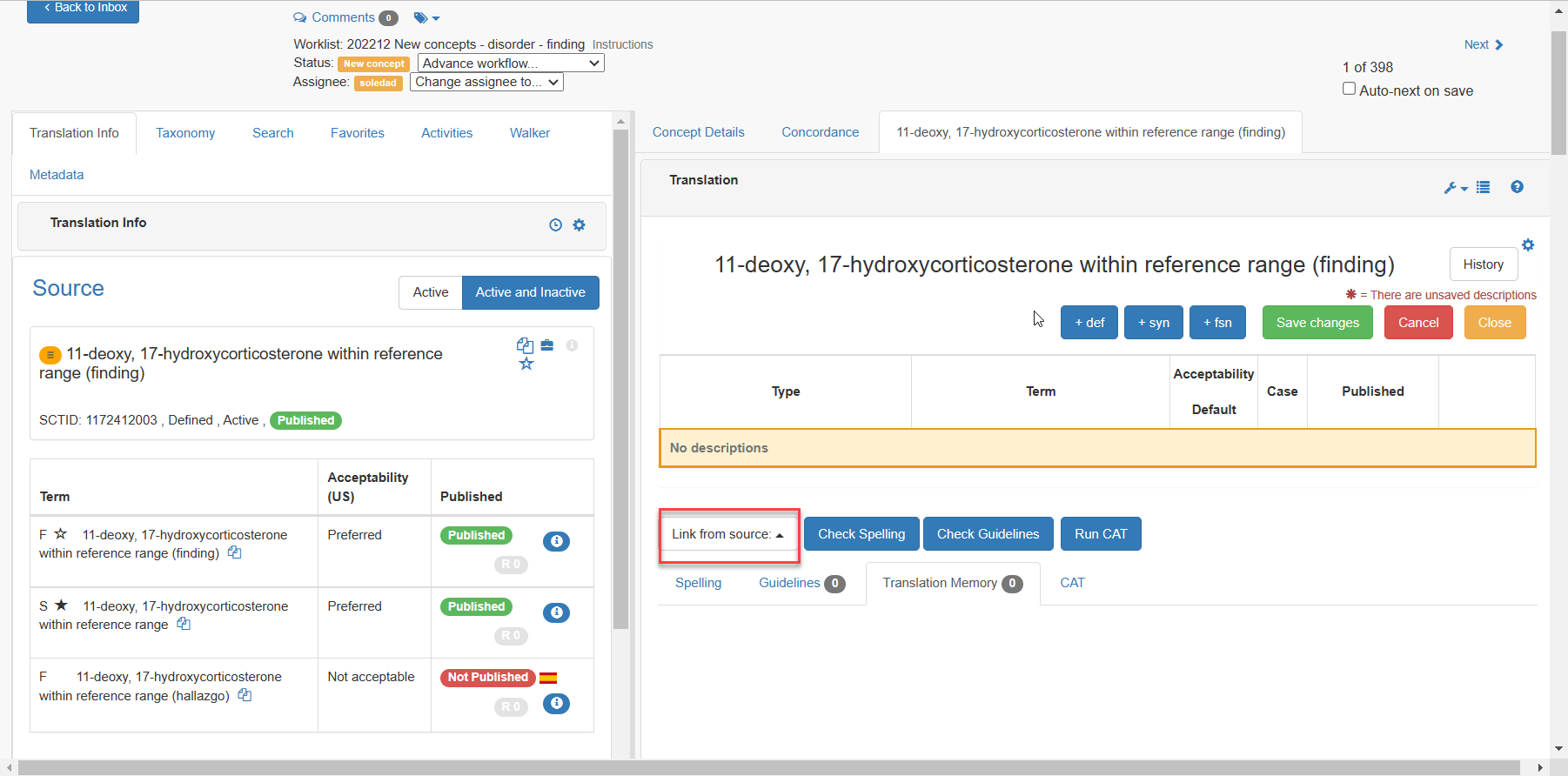
Click Link from source to open drop-down displaying all existing descriptions for a given concept
-
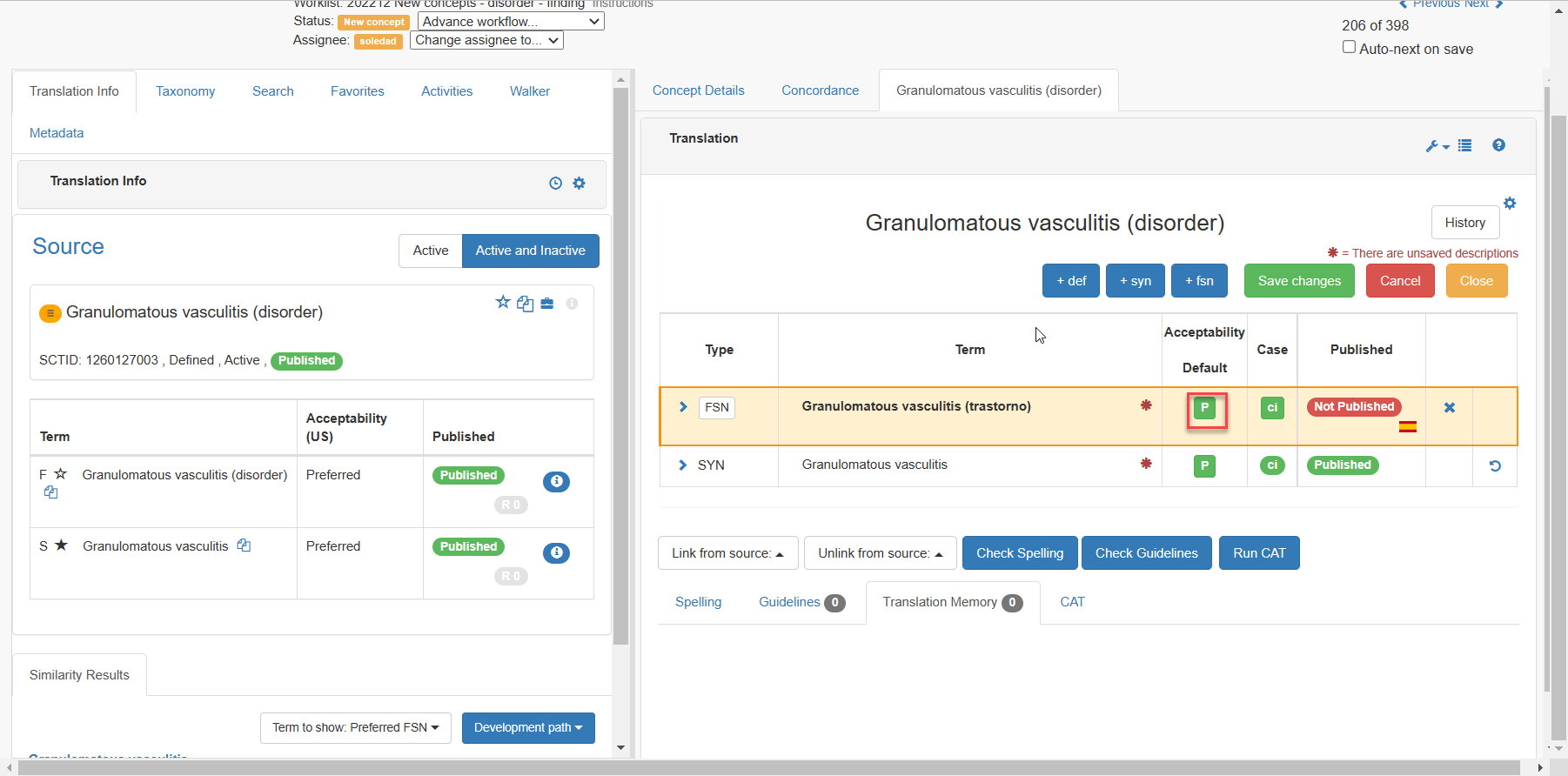
Choose the acceptability by pressing the button on the right of the linked from source concept:
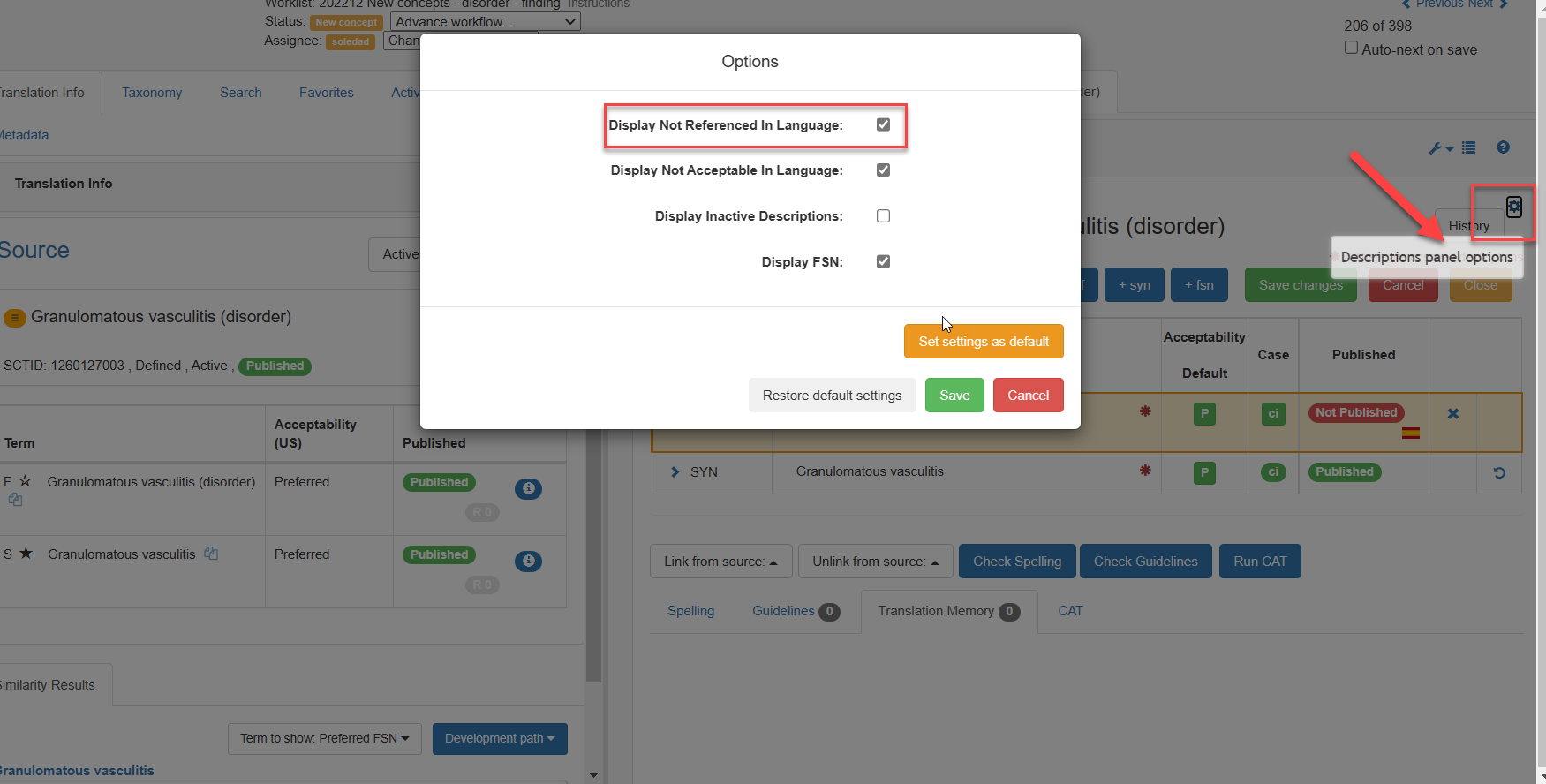
It is also possible to modify the panel's configuration to display descriptions in other languages. Acceptability is then modified as previously explained.
Note:
Concepts in the International Edition cannot be changed. Any changes must be applied to the user's language refset.