Changing concept relationships
Imported from Confluence (source, last edited 2023-01-10). Screenshots are the old UI — flag for GIF/clip re-capture.
Both type and target of unpublished relationships may be changed in the user's own extension.
Step-by-step guide
-
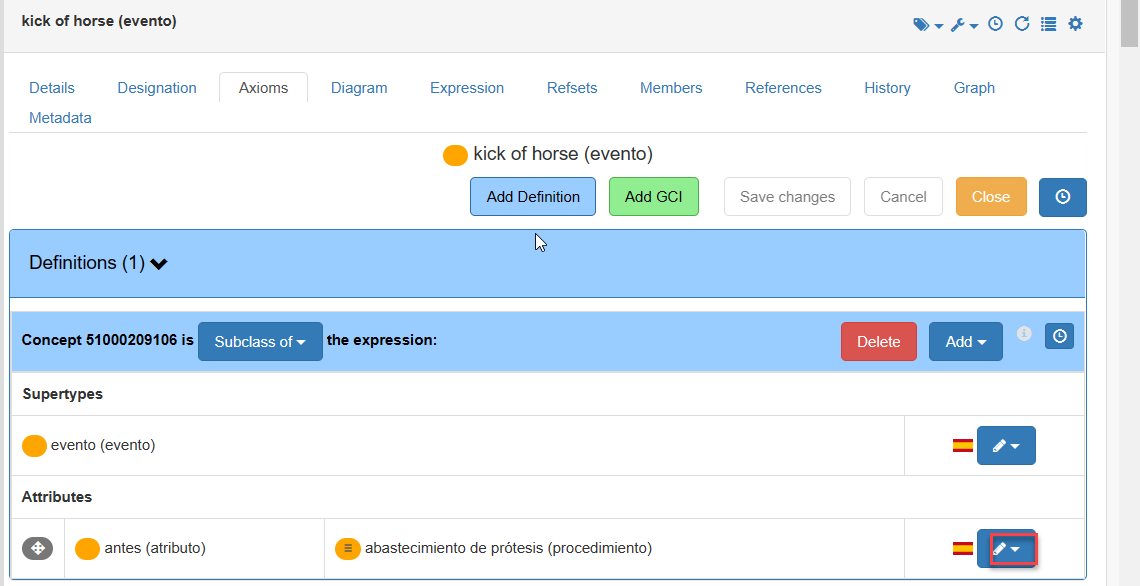
Click on the pencil on the right to open the interface that allows changing the attribute and the value of an existing relationship.
-
Drag the new value from the panel on the left.
-
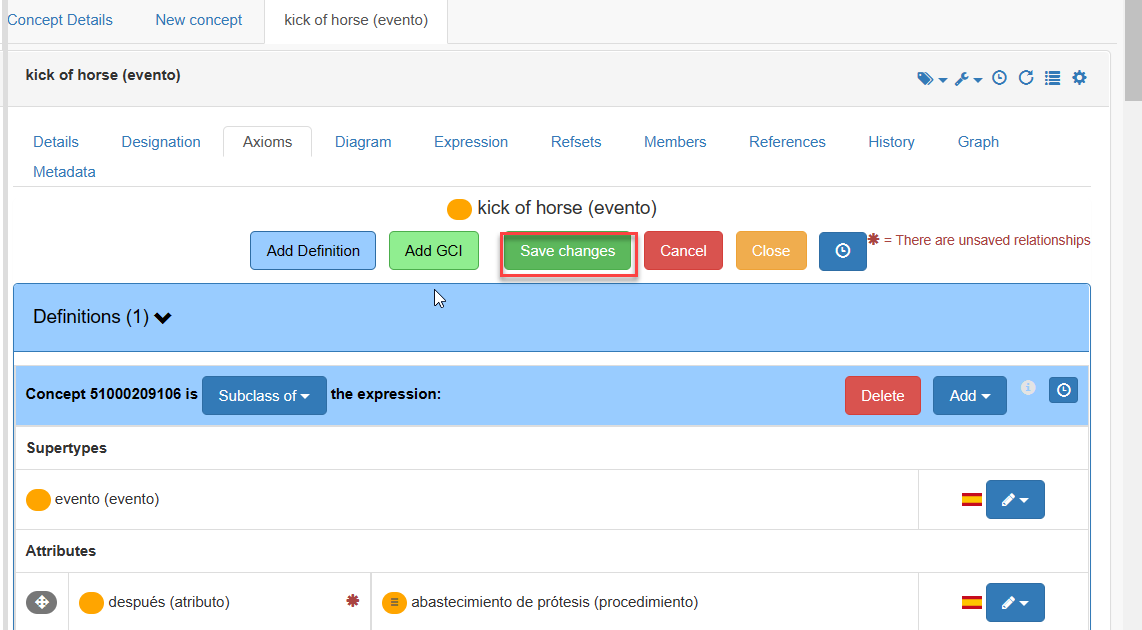
Click Save, otherwise any changes will be lost.
Info:
Important! This action is allowed for relationships of user’s own extension. Concepts from the International edition cannot be changed; therefore, their relationships cannot be edited.