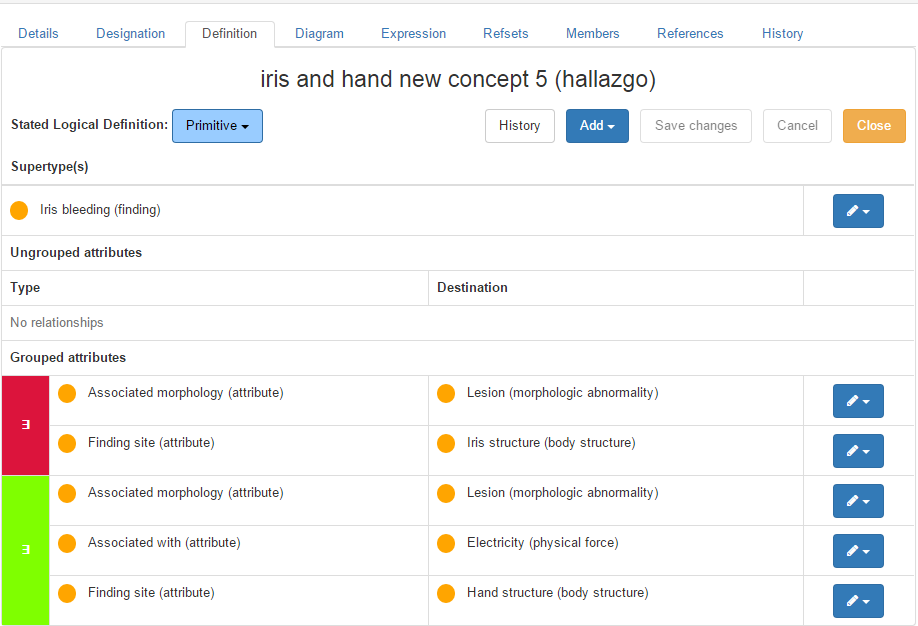
Creating relationship groups
Imported from Confluence (source, last edited 2015-06-11). Screenshots are the old UI — flag for GIF/clip re-capture.
Multiple attributes and their values can be grouped together into “relationship groups” to add clarity to concept definitions. A relationship group combines an attribute-value pair with one or more other attribute-value pairs.
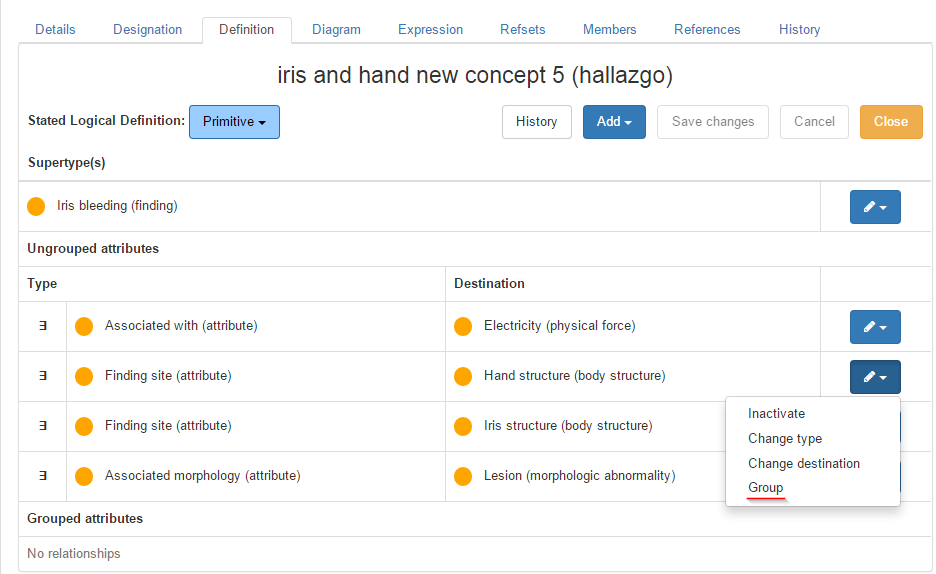
Step-by-step Guide
- Click the pencil icon and select Group option in a relationship to be grouped.
Info:
The selected relationship will remain with a white background, while other relationships will be highlighted (with a yellow background).
2. Click on a highlighted relationship to group it with the selected one.
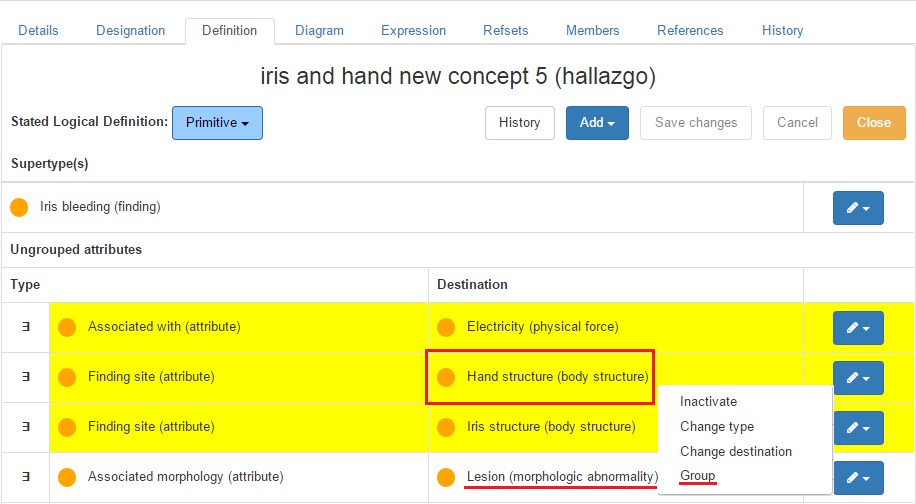
Info:
These steps may be repeated as many times as necessary according to the number of relationships to be grouped. Different relationship groups will be marked with different colors.