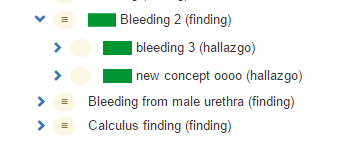
Reactivating concepts
Imported from Confluence (source, last edited 2015-06-15). Screenshots are the old UI — flag for GIF/clip re-capture.
Only concepts of the own language refset can be reactivated, i.e. someone working with the Denmark extension cannot reactivate a concept from the International Edition or from the Spanish extension. Therefore, the option Activate concept is shown for concepts of the own extension only.
Step-by-step guide
-
Click Activate concept to open the Activation interface
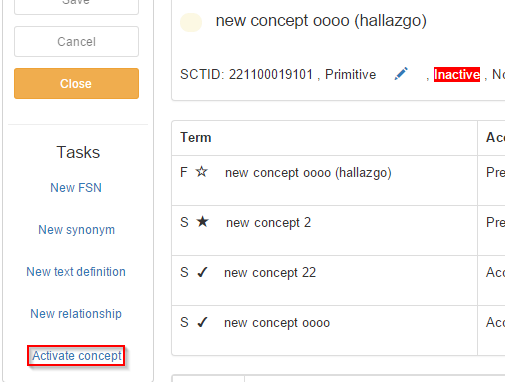
-
Drop a concept from the taxonomy view into the field to create concept parents (inactive concepts do not have parents)
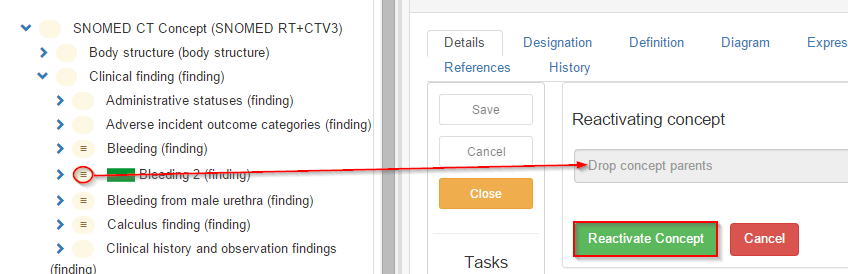
- Press Reactivate concept
4. Find the reactivated concept in the Taxonomy.